/* global React, ReactDOM */
const { useState, useEffect, useRef } = React;

// ============================================================
// VIHA Robotics — landing redesign
// ============================================================

const TWEAK_DEFAULTS = /*EDITMODE-BEGIN*/{
  "accent": "cyan",
  "showGrid": true,
  "imageTreatment": "duotone",
  "density": "comfortable",
  "showStatusRail": true
}/*EDITMODE-END*/;

const ACCENTS = {
  cyan:  { hex: "#7fd4e0", name: "Signal Cyan" },
  amber: { hex: "#e8a24a", name: "Caution Amber" },
  lime:  { hex: "#c2e858", name: "Spec Lime" },
  white: { hex: "#ffffff", name: "Pure White" },
  red:   { hex: "#ff5847", name: "Alert Red" },
};

// ----------------------------------------------------------------
// Helpers
// ----------------------------------------------------------------
function useReveal() {
  const ref = useRef(null);
  useEffect(() => {
    if (!ref.current) return;
    const io = new IntersectionObserver(
      (entries) => {
        entries.forEach((e) => {
          if (e.isIntersecting) {
            e.target.classList.add("in");
            io.unobserve(e.target);
          }
        });
      },
      { threshold: 0.12, rootMargin: "0px 0px -40px 0px" }
    );
    io.observe(ref.current);
    return () => io.disconnect();
  }, []);
  return ref;
}

function MonoLabel({ children, dim, style }) {
  return (
    <span
      className="mono-label"
      style={{ opacity: dim ? 0.55 : 1, ...style }}
    >
      {children}
    </span>
  );
}

// ----------------------------------------------------------------
// Top nav
// ----------------------------------------------------------------
function Nav({ accent }) {
  const [scrolled, setScrolled] = useState(false);
  useEffect(() => {
    const onScroll = () => setScrolled(window.scrollY > 24);
    window.addEventListener("scroll", onScroll, { passive: true });
    onScroll();
    return () => window.removeEventListener("scroll", onScroll);
  }, []);
  return (
    <header className={`nav ${scrolled ? "is-scrolled" : ""}`}>
      <div className="nav-inner">
        <a className="brand" href="#top" aria-label="VIHA Robotics home">
          <span className="brand-mark" aria-hidden="true">
            <svg viewBox="0 0 24 24" width="22" height="22">
              <rect x="2" y="2" width="20" height="20" fill="none" stroke="currentColor" strokeWidth="1.4"/>
              <rect x="6" y="6" width="12" height="12" fill="none" stroke="currentColor" strokeWidth="1.4"/>
              <circle cx="12" cy="12" r="2" fill="currentColor"/>
            </svg>
          </span>
          <span className="brand-word">VIHA<span style={{ opacity: 0.5 }}>·</span>ROBOTICS</span>
        </a>
        <nav className="nav-links" aria-label="Site sections">
          <a href="#platform">Platform</a>
          <a href="#capabilities">Capabilities</a>
          <a href="#hardware">Hardware</a>
          <a href="#performance">Performance</a>
          <a href="#research">Research</a>
          <a href="#company">Company</a>
        </nav>
        <div className="nav-cta">
          <span className="status-dot" style={{ background: accent }} />
          <a href="#contact">Request access</a>
        </div>
      </div>
    </header>
  );
}

// ----------------------------------------------------------------
// HERO
// ----------------------------------------------------------------
function Hero({ accent, showStatusRail }) {
  // live-ish status rail
  const [tick, setTick] = useState(0);
  useEffect(() => {
    const id = setInterval(() => setTick((t) => t + 1), 1400);
    return () => clearInterval(id);
  }, []);

  const channels = [
    { id: "CAM-04", label: "Cell A · overhead", base: 96 },
    { id: "DPT-02", label: "Depth · pickface",  base: 88 },
    { id: "ARM-11", label: "UR10 · station 3",  base: 99 },
    { id: "AGV-07", label: "Loop B · transit",  base: 92 },
  ];

  return (
    <section className="hero" id="top">
      <div className="hero-media">
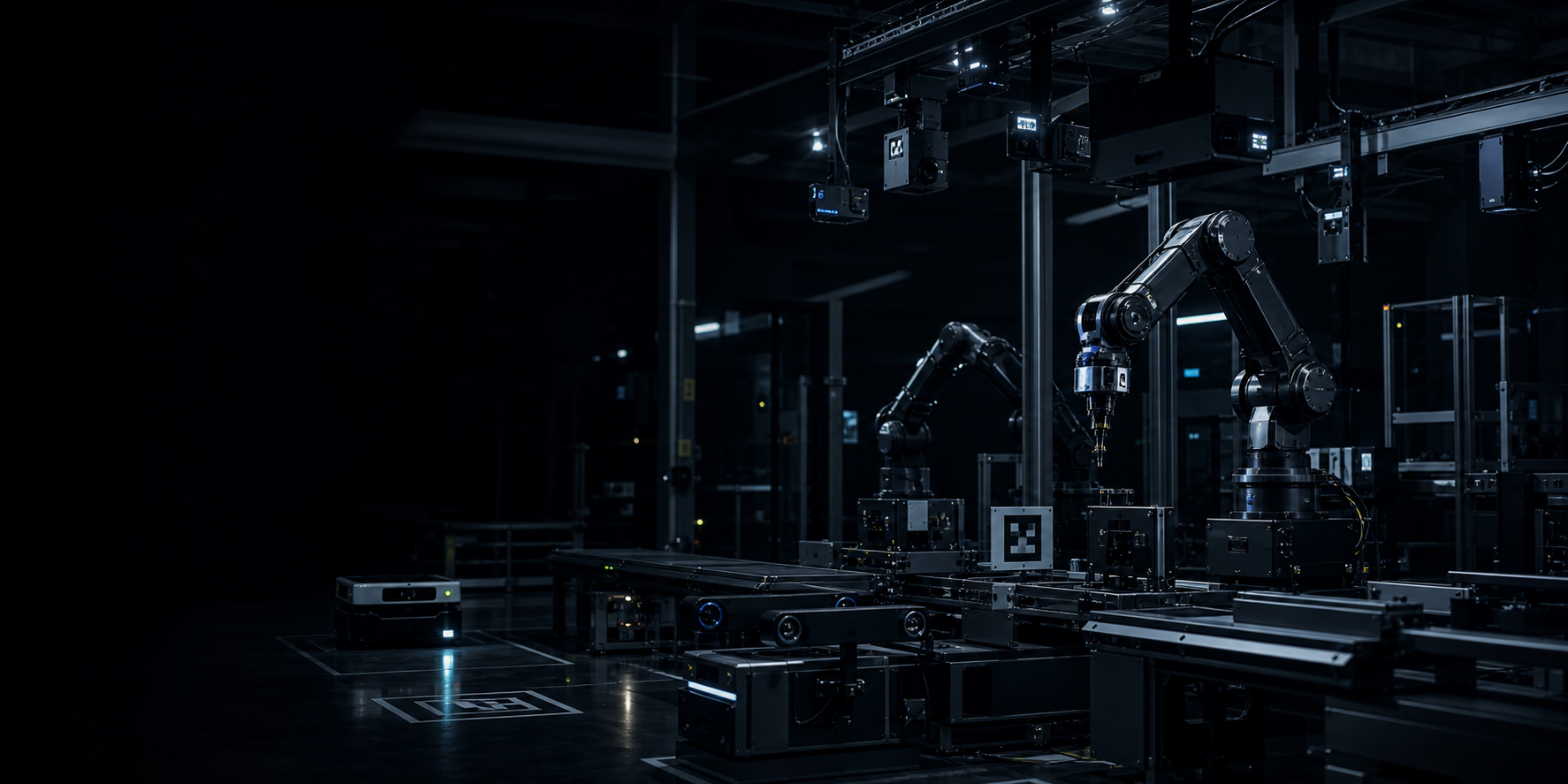
        <img src="assets/hero-automation-cell.png" alt="" />
      </div>
      <div className="hero-overlay" />

      <div className="hero-grid">
        {/* Left: copy */}
        <div className="hero-copy">
          <div className="hero-eyebrow">
            <MonoLabel>00 / Index</MonoLabel>
            <span className="hero-eyebrow-bar" />
            <MonoLabel dim>Stealth · Seed</MonoLabel>
          </div>

          <h1 className="hero-title">
            Intelligence<br />
            for any<br />
            <span className="hero-title-accent">machine.</span>
          </h1>

          <p className="hero-sub">
            A hardware-agnostic imaging and sensing platform for industrial operations —
            built to sit above the cameras, arms, and AGVs already on your floor.
          </p>

          <div className="hero-actions">
            <a className="btn btn-primary" href="#contact">
              Request access
              <svg width="14" height="14" viewBox="0 0 14 14"><path d="M2 7h9M7 3l4 4-4 4" stroke="currentColor" strokeWidth="1.4" fill="none"/></svg>
            </a>
            <a className="btn btn-ghost" href="#capabilities">
              See capabilities
            </a>
          </div>

          <div className="hero-meta">
            <div>
              <MonoLabel dim>Founded</MonoLabel>
              <span>2026 · Texas</span>
            </div>
            <div>
              <MonoLabel dim>Stage</MonoLabel>
              <span>Pilot deployments live</span>
            </div>
            <div>
              <MonoLabel dim>Sectors</MonoLabel>
              <span>Logistics · Mfg · Inspection</span>
            </div>
          </div>
        </div>

        {/* Right: status rail */}
        {showStatusRail && (
          <aside className="status-rail" aria-label="System status">
            <div className="status-rail-head">
              <MonoLabel>Live perception bus</MonoLabel>
              <span className="status-pulse" style={{ background: accent }} />
            </div>

            <div className="status-channels">
              {channels.map((c, i) => {
                const v = Math.min(100, c.base + ((tick + i) % 4) - 1);
                return (
                  <div className="status-channel" key={c.id}>
                    <div className="status-row">
                      <MonoLabel>{c.id}</MonoLabel>
                      <span className="status-val" style={{ color: accent }}>
                        {v.toString().padStart(2, "0")}%
                      </span>
                    </div>
                    <div className="status-meta">{c.label}</div>
                    <div className="status-bar">
                      <i style={{ width: `${v}%`, background: accent }} />
                    </div>
                  </div>
                );
              })}
            </div>

            <div className="status-foot">
              <MonoLabel dim>Stream · 30 Hz</MonoLabel>
              <MonoLabel dim>p99 18 ms</MonoLabel>
            </div>
          </aside>
        )}
      </div>

      <div className="hero-ticker" aria-hidden="true">
        <div className="ticker-track">
          {Array.from({ length: 2 }).map((_, j) => (
            <div className="ticker-set" key={j}>
              {[
                "Machine vision",
                "Sensor fusion",
                "Robotic cells",
                "AGV perception",
                "Quality inspection",
                "Pick & place",
                "Throughput analytics",
                "Exception recovery",
                "Calibration",
                "Edge inference",
              ].map((t, i) => (
                <span key={i}>
                  <i className="ticker-dot" style={{ background: accent }} />
                  {t}
                </span>
              ))}
            </div>
          ))}
        </div>
      </div>
    </section>
  );
}

// ----------------------------------------------------------------
// PLATFORM
// ----------------------------------------------------------------
function Platform({ accent }) {
  const ref = useReveal();
  return (
    <section className="section platform" id="platform" ref={ref}>
      <div className="section-head">
        <MonoLabel>01 / Platform</MonoLabel>
        <MonoLabel dim>Perception · Fusion · Routing</MonoLabel>
      </div>

      <div className="platform-grid">
        <div>
          <h2 className="h2">
            Built for the floor<br/>
            <em>already running.</em>
          </h2>
          <p className="lead">
            VIHA sits above existing hardware and turns imaging, sensing, and motion
            context into deployable industrial intelligence — without forcing you to
            replace what works.
          </p>
        </div>

        <div className="platform-copy">
          <p>
            Designed to work across cameras, robotic arms, autonomous mobile systems,
            conveyors, inspection stations, and the production software you already
            depend on.
          </p>
          <p>
            Teams get a shared perception layer for seeing conditions, understanding
            work states, and routing action back into physical systems — without
            locking the operation to one hardware stack.
          </p>
          <a className="btn btn-dark" href="#research">
            Read the research
            <svg width="14" height="14" viewBox="0 0 14 14"><path d="M2 7h9M7 3l4 4-4 4" stroke="currentColor" strokeWidth="1.4" fill="none"/></svg>
          </a>
        </div>
      </div>

      {/* Stack diagram */}
      <div className="stack-diagram">
        <MonoLabel dim style={{ marginBottom: 18, display: "block" }}>
          Stack · top to bottom
        </MonoLabel>
        <div className="stack-rows">
          {[
            { lvl: "L4", name: "Operator surfaces", note: "Dashboards, alerts, exception triage", role: "out" },
            { lvl: "L3", name: "Action routing",   note: "Skill calls, robot programs, MES writebacks", role: "out" },
            { lvl: "L2", name: "Perception layer", note: "Detection, tracking, fusion, world model", role: "core", accent: true },
            { lvl: "L1", name: "Sensor abstraction", note: "Cameras · depth · LiDAR · encoders · I/O", role: "in" },
            { lvl: "L0", name: "Floor hardware",   note: "Arms, AGVs, conveyors, fixtures — vendor agnostic", role: "in" },
          ].map((r) => (
            <div className={`stack-row ${r.role}`} key={r.lvl} style={r.accent ? { borderColor: accent } : undefined}>
              <MonoLabel style={r.accent ? { color: accent } : undefined}>{r.lvl}</MonoLabel>
              <div className="stack-name">{r.name}</div>
              <div className="stack-note">{r.note}</div>
              <div className="stack-role">
                <MonoLabel dim>{r.role === "core" ? "VIHA core" : r.role === "out" ? "Output" : "Input"}</MonoLabel>
              </div>
            </div>
          ))}
        </div>
      </div>

      {/* Sensing image with annotation */}
      <figure className="sensing-image">
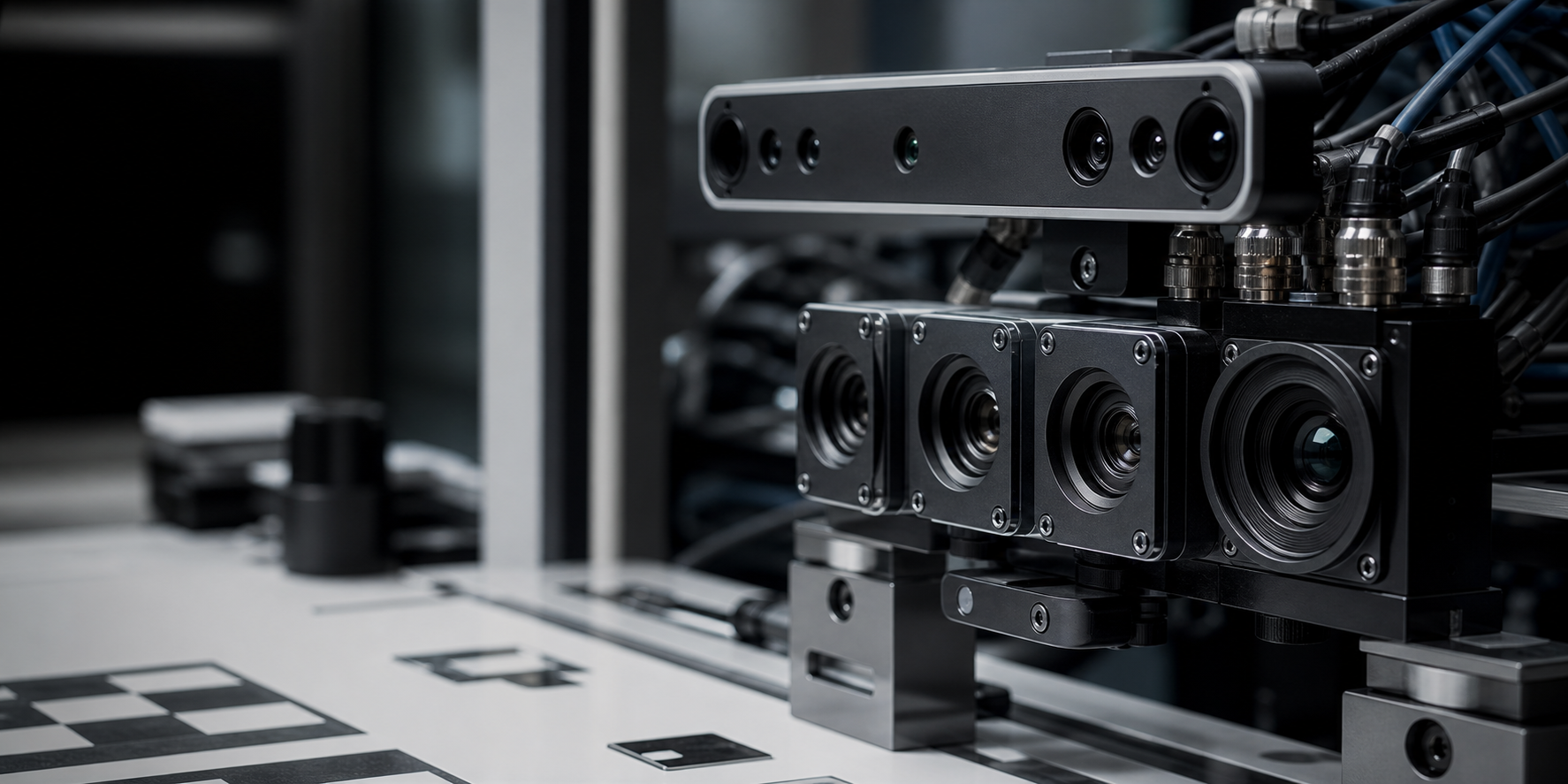
        <img src="assets/sensing-detail.png" alt="Industrial machine-vision array" />
        <figcaption>
          <div className="annot">
            <MonoLabel>Fig. 01</MonoLabel>
            <p>Multi-camera sensing stack — RGB + IR + structured depth, time-synced at 30 Hz.</p>
          </div>
          <div className="annot-pins" aria-hidden="true">
            <span className="pin pin-1" style={{ "--c": accent }}><b>01</b><i>Stereo depth</i></span>
            <span className="pin pin-2" style={{ "--c": accent }}><b>02</b><i>RGB array · 4×</i></span>
            <span className="pin pin-3" style={{ "--c": accent }}><b>03</b><i>Calibration target</i></span>
          </div>
        </figcaption>
      </figure>
    </section>
  );
}

// ----------------------------------------------------------------
// CAPABILITIES — matrix
// ----------------------------------------------------------------
function Capabilities({ accent }) {
  const ref = useReveal();
  const rows = [
    {
      n: "01",
      name: "Machine vision",
      inputs: "Fixed cameras · depth · IR",
      outputs: "Detection · classification · pose",
      stage: "Production",
    },
    {
      n: "02",
      name: "Sensor fusion",
      inputs: "Visual · spatial · motion",
      outputs: "Unified world model",
      stage: "Production",
    },
    {
      n: "03",
      name: "Robotic cells",
      inputs: "Arm telemetry · cell cameras",
      outputs: "Skill calls · grasp targets",
      stage: "Production",
    },
    {
      n: "04",
      name: "Autonomous movement",
      inputs: "AGV pose · floor cameras",
      outputs: "Zone state · handoff cues",
      stage: "Pilot",
    },
    {
      n: "05",
      name: "Quality inspection",
      inputs: "Inspection cams · process state",
      outputs: "Defect class · variance score",
      stage: "Production",
    },
    {
      n: "06",
      name: "Exception recovery",
      inputs: "Fault signals · scene context",
      outputs: "Recovery plan · operator alert",
      stage: "Beta",
    },
  ];

  return (
    <section className="section capabilities" id="capabilities" ref={ref}>
      <div className="section-head">
        <MonoLabel>02 / Capabilities</MonoLabel>
        <MonoLabel dim>06 surfaces</MonoLabel>
      </div>

      <div className="capabilities-grid">
        <div>
          <h2 className="h2 light">
            One perception layer.<br/>
            <em>Many operating surfaces.</em>
          </h2>
          <p className="lead light">
            VIHA is focused on the application layer — the seam where imaging and
            sensing become useful to real industrial work.
          </p>
        </div>

        <div className="cap-table">
          <div className="cap-table-head">
            <MonoLabel dim>Surface</MonoLabel>
            <MonoLabel dim>Inputs</MonoLabel>
            <MonoLabel dim>Outputs</MonoLabel>
            <MonoLabel dim>Stage</MonoLabel>
          </div>
          {rows.map((r) => (
            <article className="cap-row" key={r.n}>
              <div className="cap-cell cap-name">
                <MonoLabel dim style={{ color: accent }}>{r.n}</MonoLabel>
                <h3>{r.name}</h3>
              </div>
              <div className="cap-cell cap-io">
                <MonoLabel dim>In</MonoLabel>
                <span>{r.inputs}</span>
              </div>
              <div className="cap-cell cap-io">
                <MonoLabel dim>Out</MonoLabel>
                <span>{r.outputs}</span>
              </div>
              <div className="cap-cell cap-stage">
                <span className={`stage stage-${r.stage.toLowerCase()}`}>
                  <i style={{ background: r.stage === "Production" ? accent : r.stage === "Pilot" ? "#e8a24a" : "rgba(255,255,255,.4)" }} />
                  {r.stage}
                </span>
              </div>
            </article>
          ))}
        </div>
      </div>

      <figure className="cap-image">
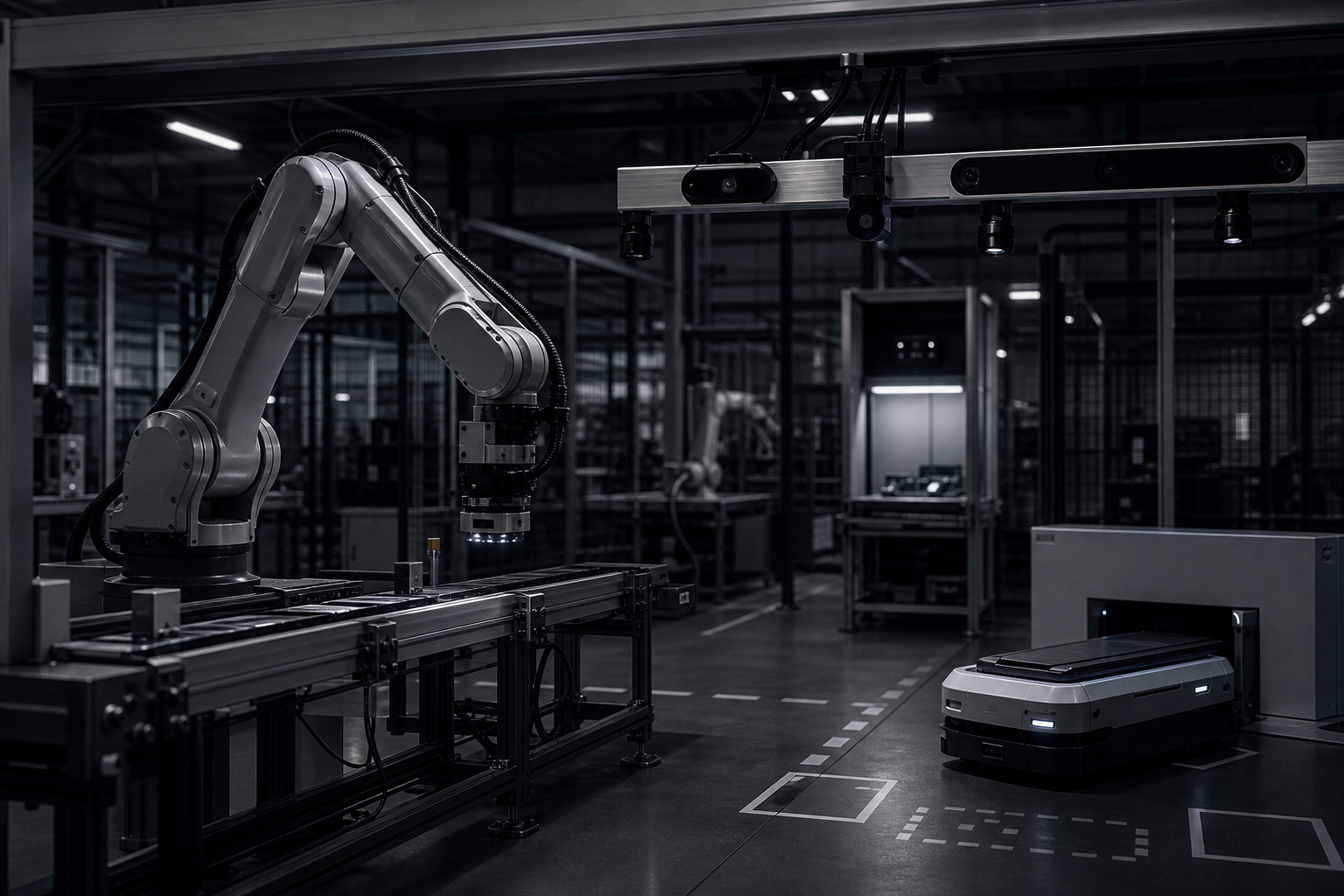
        <img src="assets/applications-cell.png" alt="Industrial robotic arm and AGV in an automation cell" />
        <div className="cap-image-grid" aria-hidden="true">
          <div className="crosshair tl" style={{ borderColor: accent }} />
          <div className="crosshair tr" style={{ borderColor: accent }} />
          <div className="crosshair bl" style={{ borderColor: accent }} />
          <div className="crosshair br" style={{ borderColor: accent }} />
          <div className="cap-image-caption">
            <MonoLabel style={{ color: accent }}>● REC</MonoLabel>
            <MonoLabel dim>Cell A · 04 · 30 Hz · 1920×1200</MonoLabel>
          </div>
          <div className="cap-image-bbox" style={{ borderColor: accent }}>
            <MonoLabel style={{ color: accent, background: "rgba(0,0,0,.6)", padding: "2px 6px" }}>
              UR10 · 0.98
            </MonoLabel>
          </div>
        </div>
      </figure>
    </section>
  );
}

// ----------------------------------------------------------------
// HARDWARE compatibility
// ----------------------------------------------------------------
function Hardware({ accent }) {
  const ref = useReveal();
  const cats = [
    {
      label: "Cameras",
      items: ["Basler ace 2", "FLIR Blackfly", "Allied Vision Alvium", "IDS uEye", "Hikvision MV", "Generic GigE / USB3"],
    },
    {
      label: "Depth & 3D",
      items: ["Intel RealSense D455", "Zivid 2+", "Photoneo MotionCam", "Orbbec Femto", "Custom stereo rigs"],
    },
    {
      label: "Robot arms",
      items: ["Universal Robots", "FANUC", "ABB", "KUKA", "Doosan", "Techman"],
    },
    {
      label: "AGV / AMR",
      items: ["MiR", "OTTO Motors", "Locus", "Geek+", "Custom AGV stacks"],
    },
    {
      label: "Production systems",
      items: ["Ignition", "PLC OPC-UA", "MQTT brokers", "Custom MES", "REST / gRPC bridges"],
    },
  ];
  return (
    <section className="section hardware" id="hardware" ref={ref}>
      <div className="section-head">
        <MonoLabel>03 / Hardware</MonoLabel>
        <MonoLabel dim>Vendor-agnostic</MonoLabel>
      </div>

      <div className="hardware-head">
        <h2 className="h2">
          Works with the<br/>
          <em>kit you already own.</em>
        </h2>
        <p className="lead" style={{ marginTop: 0 }}>
          We don't ship hardware. The platform connects to the cameras, sensors,
          arms, and movers already on your floor — and to the production systems
          that run them.
        </p>
      </div>

      <div className="hardware-grid">
        {cats.map((c, i) => (
          <div className="hw-col" key={c.label}>
            <div className="hw-col-head">
              <MonoLabel style={{ color: accent }}>{String(i + 1).padStart(2, "0")}</MonoLabel>
              <MonoLabel>{c.label}</MonoLabel>
            </div>
            <ul className="hw-list">
              {c.items.map((it) => (
                <li key={it}>
                  <span className="hw-tick" style={{ background: accent }} />
                  {it}
                </li>
              ))}
            </ul>
          </div>
        ))}
      </div>

      <div className="marquee" aria-hidden="true">
        <div className="marquee-track">
          {Array.from({ length: 2 }).map((_, j) => (
            <div className="marquee-set" key={j}>
              {["GigE Vision", "GenICam", "ROS 2", "OPC-UA", "MQTT", "MoveIt", "ONNX", "TensorRT", "CUDA", "EtherCAT", "Profinet", "REST", "gRPC", "WebRTC"].map((t, i) => (
                <span key={i} className="marquee-item">{t}</span>
              ))}
            </div>
          ))}
        </div>
      </div>
    </section>
  );
}

// ----------------------------------------------------------------
// PERFORMANCE numbers
// ----------------------------------------------------------------
function Performance({ accent }) {
  const ref = useReveal();
  const stats = [
    { v: "18", u: "ms",  k: "p99 perception latency" },
    { v: "30", u: "Hz",  k: "Time-synced sensor streams" },
    { v: "256", u: "ch", k: "Channels per cluster" },
    { v: "99.94", u: "%", k: "Uptime · pilot fleet · 12 mo" },
  ];
  return (
    <section className="section performance" id="performance" ref={ref}>
      <div className="section-head">
        <MonoLabel>04 / Performance</MonoLabel>
        <MonoLabel dim>Pilot fleet · trailing 12 mo</MonoLabel>
      </div>
      <div className="perf-grid">
        {stats.map((s, i) => (
          <div className="perf-cell" key={i}>
            <div className="perf-num">
              <span className="perf-v" style={{ color: accent }}>{s.v}</span>
              <span className="perf-u">{s.u}</span>
            </div>
            <div className="perf-k">{s.k}</div>
            <div className="perf-bar"><i style={{ background: accent }} /></div>
          </div>
        ))}
      </div>
    </section>
  );
}

// ----------------------------------------------------------------
// MISSION
// ----------------------------------------------------------------
function Mission({ accent }) {
  const ref = useReveal();
  return (
    <section className="section mission" id="research" ref={ref}>
      <div className="mission-inner">
        <MonoLabel style={{ color: accent }}>05 / Thesis</MonoLabel>
        <p className="mission-statement">
          We build the sensing layer that lets industrial systems
          <em> see, understand, </em>
          and adapt — without replacing the machines that already work.
        </p>
        <div className="mission-foot">
          <span className="mission-rule" style={{ background: accent }} />
          <small>
            VIHA develops perception, imaging, and deployment software for operating
            floors where hardware choices are already made and uptime matters.
          </small>
        </div>
      </div>
    </section>
  );
}

// ----------------------------------------------------------------
// CAREERS
// ----------------------------------------------------------------
function Careers({ accent }) {
  const ref = useReveal();
  const roles = [
    { team: "Perception",  title: "ML Engineer Intern · Vision",        loc: "Texas · on-site", type: "Internship" },
    { team: "Robotics",    title: "Robotics Software Intern",            loc: "Texas · on-site", type: "Internship" },
    { team: "Platform",    title: "Distributed Systems Intern",          loc: "Texas · on-site", type: "Internship" },
    { team: "Agri-Move",   title: "Agri-Move Field Engineer Intern",     loc: "Texas · on-site", type: "Internship" },
    { team: "Design",      title: "Product Designer Intern · Operator UX", loc: "Texas · on-site", type: "Internship" },
  ];
  return (
    <section className="section careers" id="company" ref={ref}>
      <div className="section-head light">
        <MonoLabel>06 / Company</MonoLabel>
        <MonoLabel dim>05 open roles</MonoLabel>
      </div>

      <div className="careers-head">
        <h2 className="h2 dark">
          We're hiring — build the<br/>
          <em>systems that see and understand work.</em>
        </h2>
      </div>

      <div className="roles">
        {roles.map((r, i) => (
          <a className="role" href="#contact" key={i}>
            <div className="role-team">
              <MonoLabel dim>{String(i + 1).padStart(2, "0")}</MonoLabel>
              <MonoLabel>{r.team}</MonoLabel>
            </div>
            <div className="role-title">{r.title}</div>
            <div className="role-meta">
              <span>{r.loc}</span>
              <span>·</span>
              <span>{r.type}</span>
            </div>
            <div className="role-arrow" style={{ color: accent }}>
              <svg width="16" height="16" viewBox="0 0 14 14"><path d="M2 7h9M7 3l4 4-4 4" stroke="currentColor" strokeWidth="1.6" fill="none"/></svg>
            </div>
          </a>
        ))}
      </div>
    </section>
  );
}

// ----------------------------------------------------------------
// FOOTER
// ----------------------------------------------------------------
function Footer({ accent }) {
  return (
    <footer className="footer" id="contact">
      <div className="footer-top">
        <div className="footer-mark">
          <div className="footer-brand">
            <span className="brand-mark" style={{ color: accent }} aria-hidden="true">
              <svg viewBox="0 0 24 24" width="28" height="28">
                <rect x="2" y="2" width="20" height="20" fill="none" stroke="currentColor" strokeWidth="1.4"/>
                <rect x="6" y="6" width="12" height="12" fill="none" stroke="currentColor" strokeWidth="1.4"/>
                <circle cx="12" cy="12" r="2" fill="currentColor"/>
              </svg>
            </span>
            <div>
              <div className="footer-word">VIHA ROBOTICS</div>
              <div className="footer-tag">Perception infrastructure for industrial work.</div>
            </div>
          </div>

          <a className="footer-cta" href="#contact" style={{ borderColor: accent }}>
            <span>Request access</span>
            <span className="footer-cta-arrow" style={{ color: accent }}>→</span>
          </a>
        </div>

        <div className="footer-cols">
          <div>
            <MonoLabel dim>Platform</MonoLabel>
            <a href="#platform">Perception layer</a>
            <a href="#capabilities">Capabilities</a>
            <a href="#hardware">Hardware</a>
            <a href="#performance">Performance</a>
          </div>
          <div>
            <MonoLabel dim>Company</MonoLabel>
            <a href="#research">Research</a>
            <a href="#company">Careers</a>
            <a href="#contact">Contact</a>
            <a href="#contact">Press</a>
          </div>
          <div>
            <MonoLabel dim>Locations</MonoLabel>
            <a href="#contact">Texas · HQ</a>
            <a href="#contact">Remote · US</a>
          </div>
          <div>
            <MonoLabel dim>Legal</MonoLabel>
            <a href="#contact">Terms</a>
            <a href="#contact">Privacy</a>
            <a href="#contact">Accessibility</a>
            <a href="#contact">Security</a>
          </div>
        </div>
      </div>

      <div className="footer-bottom">
        <div className="footer-bottom-row">
          <span>© 2026 VIHA Robotics, Inc. · Texas</span>
          <span>Stealth-stage industrial intelligence systems.</span>
          <span style={{ display: "inline-flex", alignItems: "center", gap: 8 }}>
            <i className="status-dot" style={{ background: accent }} /> All systems operational
          </span>
        </div>
        <div className="footer-massive" aria-hidden="true">VIHA</div>
      </div>
    </footer>
  );
}

// ----------------------------------------------------------------
// Tweaks panel
// ----------------------------------------------------------------
function Tweaks({ tweaks, setTweak }) {
  const { TweaksPanel, TweakSection, TweakRadio, TweakToggle, TweakSelect } = window;
  return (
    <TweaksPanel title="Tweaks">
      <TweakSection title="Accent color">
        <TweakRadio
          value={tweaks.accent}
          onChange={(v) => setTweak("accent", v)}
          options={[
            { value: "cyan",  label: "Cyan"  },
            { value: "amber", label: "Amber" },
            { value: "lime",  label: "Lime"  },
            { value: "white", label: "White" },
            { value: "red",   label: "Red"   },
          ]}
        />
      </TweakSection>
      <TweakSection title="Image treatment">
        <TweakRadio
          value={tweaks.imageTreatment}
          onChange={(v) => setTweak("imageTreatment", v)}
          options={[
            { value: "duotone", label: "Duotone" },
            { value: "muted",   label: "Muted"   },
            { value: "natural", label: "Natural" },
          ]}
        />
      </TweakSection>
      <TweakSection title="Density">
        <TweakRadio
          value={tweaks.density}
          onChange={(v) => setTweak("density", v)}
          options={[
            { value: "compact",     label: "Compact"     },
            { value: "comfortable", label: "Comfortable" },
            { value: "editorial",   label: "Editorial"   },
          ]}
        />
      </TweakSection>
      <TweakSection title="Layout">
        <TweakToggle
          label="Background grid"
          checked={tweaks.showGrid}
          onChange={(v) => setTweak("showGrid", v)}
        />
        <TweakToggle
          label="Hero status rail"
          checked={tweaks.showStatusRail}
          onChange={(v) => setTweak("showStatusRail", v)}
        />
      </TweakSection>
    </TweaksPanel>
  );
}

// ----------------------------------------------------------------
// App root
// ----------------------------------------------------------------
function App() {
  const { useTweaks } = window;
  const [tweaks, setTweak] = useTweaks(TWEAK_DEFAULTS);
  const accentHex = ACCENTS[tweaks.accent].hex;

  // sync CSS vars
  useEffect(() => {
    const root = document.documentElement;
    root.style.setProperty("--accent", accentHex);
    root.dataset.grid = tweaks.showGrid ? "on" : "off";
    root.dataset.image = tweaks.imageTreatment;
    root.dataset.density = tweaks.density;
  }, [accentHex, tweaks.showGrid, tweaks.imageTreatment, tweaks.density]);

  return (
    <div className="shell">
      <Nav accent={accentHex} />
      <main>
        <Hero accent={accentHex} showStatusRail={tweaks.showStatusRail} />
        <Platform accent={accentHex} />
        <Capabilities accent={accentHex} />
        <Hardware accent={accentHex} />
        <Performance accent={accentHex} />
        <Mission accent={accentHex} />
        <Careers accent={accentHex} />
      </main>
      <Footer accent={accentHex} />
      <Tweaks tweaks={tweaks} setTweak={setTweak} />
    </div>
  );
}

ReactDOM.createRoot(document.getElementById("root")).render(<App />);